SERVING WA
Since 2009

Yes, electronic shelf labels can integrate with existing POS systems when the POS or its connected retail platform provides a supported way to share product and pricing data. Compatibility depends on the specific software, integration method and label platform—not simply whether your checkout system is cloud-based or installed locally.
Electronic shelf labels integrate through a connection between your product-pricing source and the software controlling the shelf displays. That source can be your POS, a central retail management system or another application responsible for maintaining selling prices.
The deciding question is whether your exact systems can exchange the right information reliably. A connection that transfers standard prices but misses promotion expiry dates is not enough for a store that relies on scheduled specials.
For the broader process, see the electronic shelf labels to automatic pricing workflow. Start compatibility discussions with your current POS provider, then ask the label supplier to demonstrate the proposed connection.
| Connection option | Best for | Practical benefit | Limitation to check |
|---|---|---|---|
| Supported connector | Retailers whose exact systems already have a maintained connection | Provides an established integration route | Supported versions, functions and ongoing ownership still need checking |
| API connection | Retailers whose platforms expose suitable interfaces | Supports programmed exchange of product and price data | Requires correct authentication, field mapping and error handling |
| Middleware | Stores connecting systems that need data translation | Converts information between different formats or structures | Adds another component to maintain and troubleshoot |
| File transfer | Retailers whose systems support compatible exports and imports | Provides a route where a direct connection is unsuitable | Update timing and failed imports need explicit controls |
These are connection approaches, not interchangeable guarantees. Ask the supplier to identify which approach applies to your store and explain what happens between saving a price and seeing it on the shelf.
A shelf display and a checkout can each work correctly while showing different prices. That happens when they use different records, receive changes at different times or interpret a promotion differently.
For a Perth retailer planning a 2026 upgrade, keeping existing checkout equipment is a useful objective—not proof of compatibility. Assess the data connection separately from the physical labels, shelf attachments and store layout.
The practical goal is straightforward: staff should know where to change a price, how to confirm the change reached the shelf and what to do when it did not. Buy the working process, not just the display hardware.
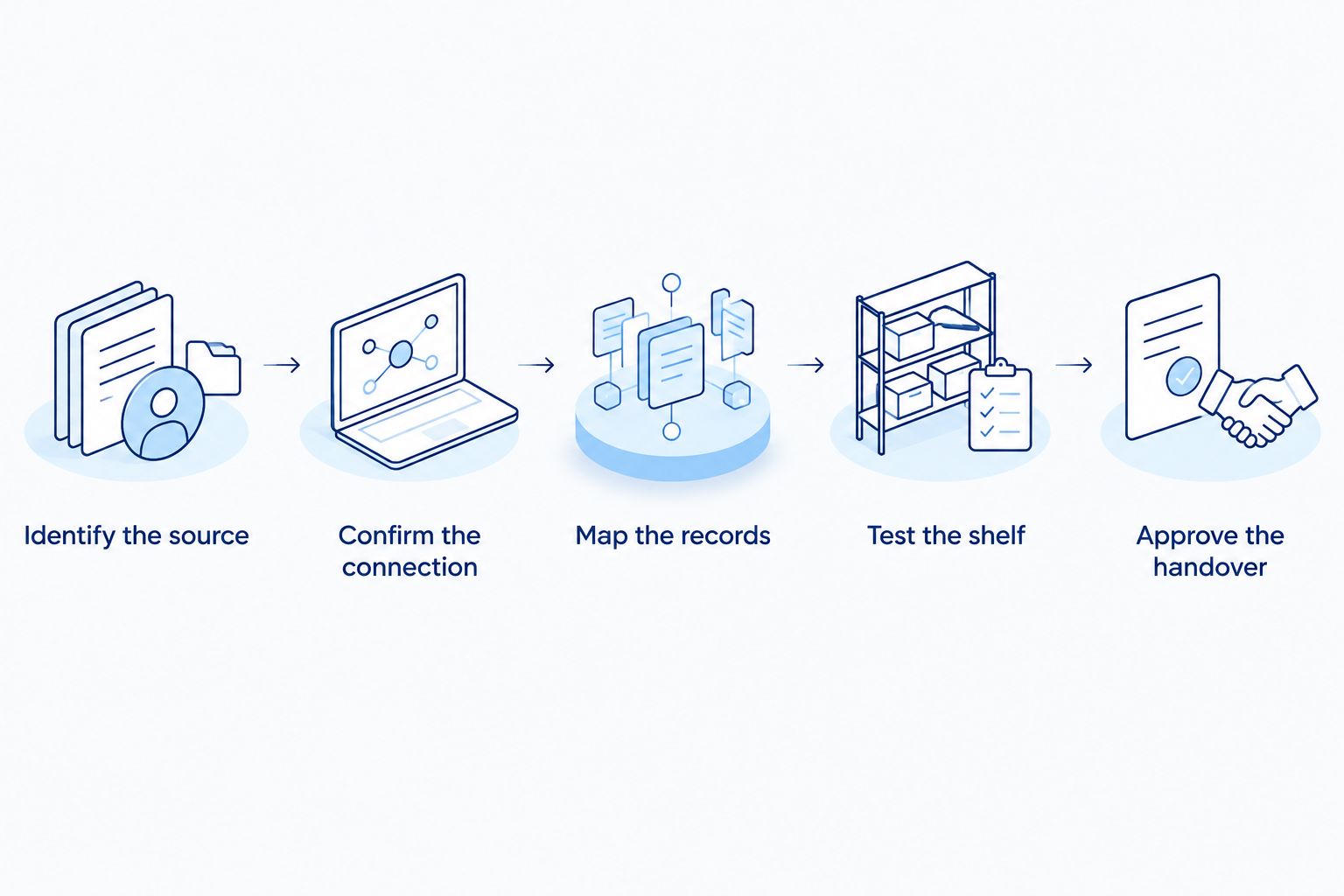
Use the following sequence to turn a general compatibility claim into a store-specific decision. Ask for answers against your installed software version, not merely the POS brand name.
A written compatibility statement should identify the systems, versions, supported functions and exclusions. Keep that statement with your 2026 fit-out records so a later software change does not erase the basis of your buying decision.
Best for: retailers whose POS and label platforms have an existing, maintained connector. A supported connector gives you a defined starting point for the integration discussion, but the name alone does not establish what it does.
Ask which software versions it supports and whether the connection covers product descriptions, normal prices, promotional prices and promotion removal. Confirm whether support comes from the POS provider, the label supplier or a separate integration business.
The advantage is a connection intended for those systems. The limitation is its documented scope: a connector can support basic price changes without supporting every rule your checkout uses.
Before approving a supported connector in 2026, request a demonstration using the pricing features your staff actually use. A standard product update is not a substitute for testing your most complicated promotion.
Best for: retailers with suitable interfaces and someone responsible for maintaining the connection. An API lets software exchange information through defined requests or messages, but API access alone does not establish a finished integration.
Check which product and pricing fields the interfaces expose. Ask how the connection identifies changed records, handles rejected updates and recovers after an interruption.
An API connection can provide a programmed route between systems. Its limitation is the implementation work: authentication, data mapping and failure handling still need to be correct.
Do not accept an update-speed promise without a store-specific test. Agree what counts as completion: receiving a request is different from confirming that the intended shelf display shows the intended price.
Best for: retailers whose systems need translation between different data structures. Middleware sits between applications and can transform an exported product record into the format another platform expects.
This approach is useful when the systems do not share the same field names, identifiers or data structure. The trade-off is another component in the pricing process, with its own configuration and support arrangements.
Ask who maintains the translation rules after a POS upgrade. Also establish whether staff can distinguish a source-data problem from a middleware problem or a shelf-display problem.
For a retailer operating several stores, confirm how the connection keeps location-specific records separate. A technically successful transfer is still wrong if it sends another branch's price.
Best for: retailers whose platforms support compatible product-data exports and imports. A file-based connection moves information through an agreed file format rather than relying on a direct application connection.
The benefit is a clear transfer method where both systems support the format. The limitation is the need to manage export timing, import timing, missing records and rejected files.
Ask whether a transfer contains the complete product list or only changed records. Confirm how the receiving platform treats blank fields, duplicate identifiers and products removed from a later export.
For your 2026 rollout, document the full update sequence. Staff need to know whether saving a price starts the transfer automatically or whether someone must initiate another step.
Integration requirements vary with the way your store manages products and prices. Use these factors to shape the supplier discussion rather than comparing systems on a broad compatibility claim.
These factors also explain why another retailer's successful installation does not prove compatibility for your store. Use that experience as a discussion starter, not as acceptance evidence.
Test the awkward cases, not just a normal price change. Build the trial around the mistakes your staff need the system to prevent, and record the source record, shelf result and checkout result together.
Include the following acceptance checks:
Ask the supplier to explain any unsupported case before extending the system. A clear exclusion is more useful than discovering during trading that a familiar promotion cannot be displayed as intended.
Make the 2026 acceptance checklist part of staff training. The person changing prices should be able to recognise an unconfirmed update without needing to understand the underlying software.
POS integration and shelf attachment are separate checks. A working data connection does not establish that a label holder fits your existing shelf edge.
Measure the shelf-edge profile and confirm the proposed mounting method with the supplier. Check that the mounted display leaves product information visible and does not obstruct access to stock.
If your store retains paper tickets in some sections, review the data stripping and shelf label holder guide alongside the electronic-label plan. A mixed setup needs a clear rule for which ticket is authoritative and who updates each section.
Cheapshelving is best for Perth retailers sourcing electronic shelf labels alongside commercial shelving and shop fittings. Its Electronic Shelf Labels (ESL) offering is described as supporting store-wide price changes from one system; confirm your POS connection and mounting requirements separately before choosing it.
Yes, keeping your existing POS is an option when a suitable connection supports the pricing functions you need. Confirm that against your current version and configuration before treating a POS replacement as necessary.
If the proposed connection cannot handle an essential pricing rule, ask whether a supported alternative integration route exists. Do not replace a functioning checkout system solely on the strength of an untested compatibility claim.
Do not assume immediate updates across every shelf. Completion depends on the proposed connection and the label platform's update process, so request a demonstration and a clear definition of successful delivery.
Ask how staff identify displays that have not confirmed an update. The useful operating measure is a verified shelf result, not simply a successful export from the POS.
Assign responsibility before launch. The problem can sit in the source record, product mapping, transfer process or label assignment, so the support plan must cover the complete path.
Give staff a single reporting procedure that captures the affected product, shelf location and observed mismatch. Agree who coordinates the investigation when different providers manage different parts of the connection.
Can electronic shelf labels integrate with POS systems I already use?
Yes, if your existing POS or its connected retail platform supports a compatible connection to the label system. Confirm the exact software version, required fields and pricing rules before committing.
Do electronic shelf labels require a cloud-based POS?
A cloud-based POS is not the deciding requirement. Compatibility depends on the supported connector, interface or data-transfer method available for your particular systems.
Is an API connection better than a file import?
Neither method is automatically better for every store. Compare how each proposed setup transfers changes, reports failures and confirms the intended shelf result.
Can electronic shelf labels show promotional prices?
Promotional pricing needs confirmation for the specific connection and label platform. Test promotion start, expiry and any conditions that affect what customers pay at checkout.
Will electronic shelf labels stop all pricing errors?
Electronic shelf labels do not eliminate incorrect source data or wrong product assignments. Keep checks for mapping errors, failed transfers and unconfirmed display updates.
Does Cheapshelving offer electronic shelf labels for retailers?
Cheapshelving offers electronic shelf labels alongside commercial shelving and retail display equipment. Ask about your exact POS connection and shelf attachment requirements before selecting a system.
What should I ask an electronic shelf label supplier first?
Ask the supplier to demonstrate your exact POS version sending a product-price change through to a shelf display. Then test promotion expiry and recovery after an interrupted connection.
A correct price on the wrong product is still a failed integration. Include label-to-product assignment in your acceptance checks, not just the transfer of pricing data.
Before signing off, have a staff member trace a displayed item back to its source record and checkout result. That practical check tests the process your team will rely on every trading day.
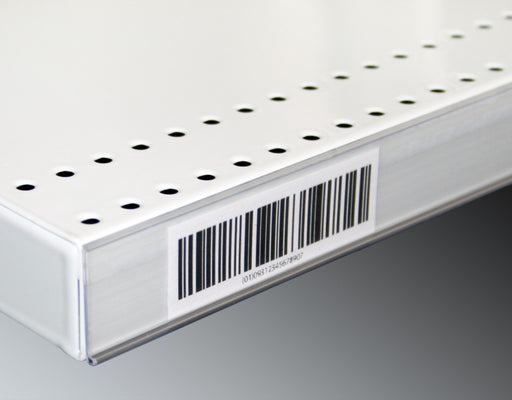
Upgrade your store's pricing and product labeling system with our Flat Adhesive Data Stripping. This cost-effective solution is designed to simplif...
View full details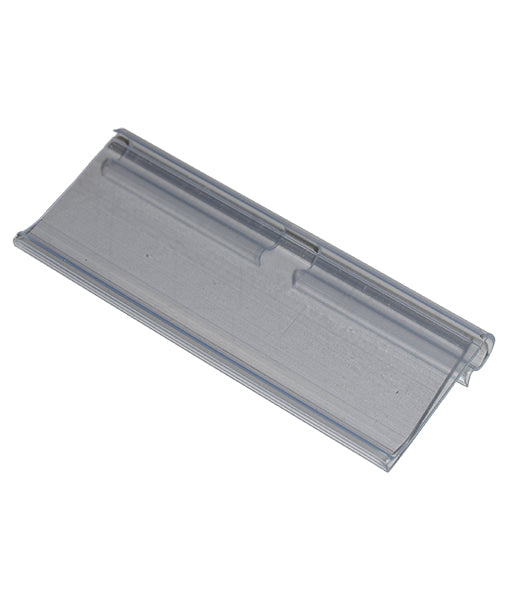
Enhance your store's product labeling and pricing system with our 100-Pack Flipper Tags. These versatile and easy-to-use tags are designed to strea...
View full detailsUpgrade your customers' shopping experience with our 28 litre Shopping Baskets featuring Metal Handles. These robust and stylish baskets are design...
View full detailsMake shopping a breeze for your customers with our 28 Litre Shopping Baskets featuring Plastic Handles. These lightweight and sturdy baskets are de...
View full detailsRevolutionize your customers' shopping experience with our Roller Shopping Baskets. These innovative baskets are designed for maximum convenience, ...
View full details{"one"=>"Select 2 or 3 items to compare", "other"=>"{{ count }} of 3 items selected"}