SERVING WA
Since 2009

Electronic shelf labels for bottle shops are digital shelf tickets managed from a central system to keep displayed prices aligned with approved pricing. This 2026 guide explains how to assess shelf fit, distinguish bottles from multipacks, check chilled-area suitability and introduce electronic ticketing without overlooking checkout accuracy.
A bottle shop pricing process must distinguish individual bottles, multipacks, cartons and product variants. A correct price against the wrong pack is still a wrong shelf ticket. Electronic ticketing changes how you publish information; it does not remove the need to identify each item correctly.
Start with the work your team actually performs. Record ticket changes, checkout discrepancies, missing labels and time spent checking promotional displays. Those records establish whether replacing manual ticketing addresses a recurring problem in your store.
Choose electronic labels to fix a documented pricing workflow, not simply to replace paper. For a Perth independent or a regional WA operator, the buying checks remain the same: data accuracy, fixture compatibility, operating conditions and a workable support arrangement.
Before comparing hardware, read the guide to electronic shelf label integration with existing POS systems. An integration discussion should start with your exact software and required functions, not a general assurance that two systems connect.
Use a spreadsheet and a store walk-through before seeking a system proposal. Separate routine price changes from product relocations, promotional starts, promotional finishes and corrections. Each task exposes a different part of the ticketing process.
Build your 2026 baseline from observed work rather than a supplier's general savings claim. Count the labels your store needs, including secondary displays, instead of treating your product count as the final device count. The same item displayed in separate locations needs a clear ticketing plan for each location.
Paper remains a useful comparison. If ticket changes are manageable and discrepancies are rare in your own records, a full electronic rollout needs a stronger operational case.
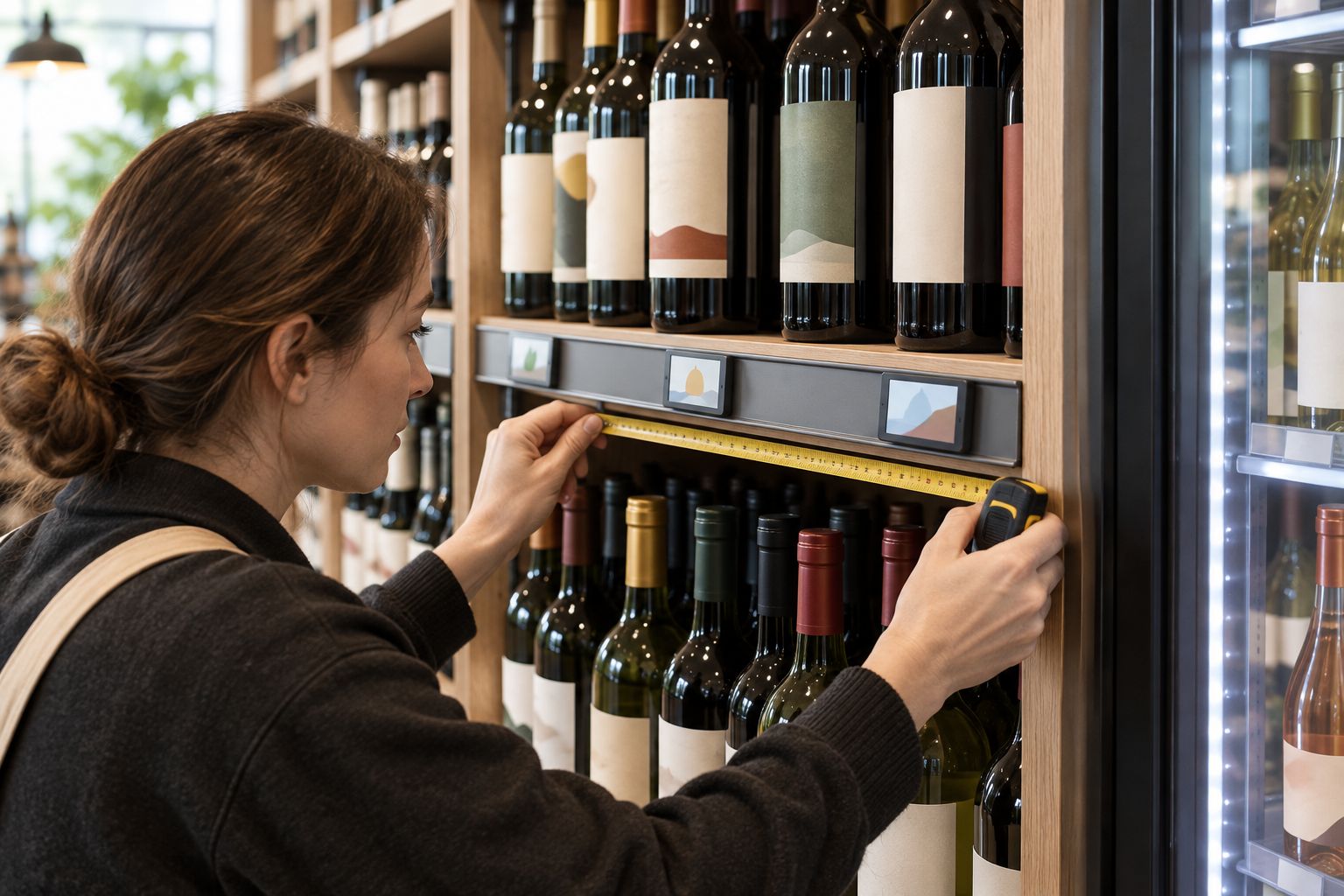
Take photographs and measure the existing shelf edge manually. Record the edge profile, usable mounting area and anything that obstructs the label. A shelf's depth tells you about the fixture footprint, not whether an electronic label bracket fits.
The supplied budget shelving range includes 300 mm and 450 mm base-shelf options. Neither measurement establishes electronic label compatibility. Ask for a mounting drawing or a sample fitted to the actual shelf edge before specifying mounts for the store.
Assess ambient shelves and chilled locations separately. Require written operating limits for the proposed device and mounting method, then compare those limits with your store's conditions. Include door movement and cleaning access in the assessment.
Export your product records and check them manually. Give each sellable item an unambiguous identity, including brand, size, pack quantity and variant where relevant. Resolve duplicates before connecting any automated update process.
Cheap Shelving lists Electronic Shelf Labels (ESL) for centralised shelf-price changes. Treat that as the starting point for a product discussion, not proof of compatibility with your bottle shop's software, refrigerators or existing brackets.
For your 2026 specification, prepare examples of the most difficult tickets: similar wine labels, an individual can beside a multipack, and an item displayed in separate locations. Ask the supplier to demonstrate those records on the proposed display. Readability and correct pack identification take priority over fitting more information onto a ticket.
First, document the manual path from an approved price change to a checked shelf ticket. Then require the proposed electronic system to demonstrate that same path using your actual software configuration and representative records.
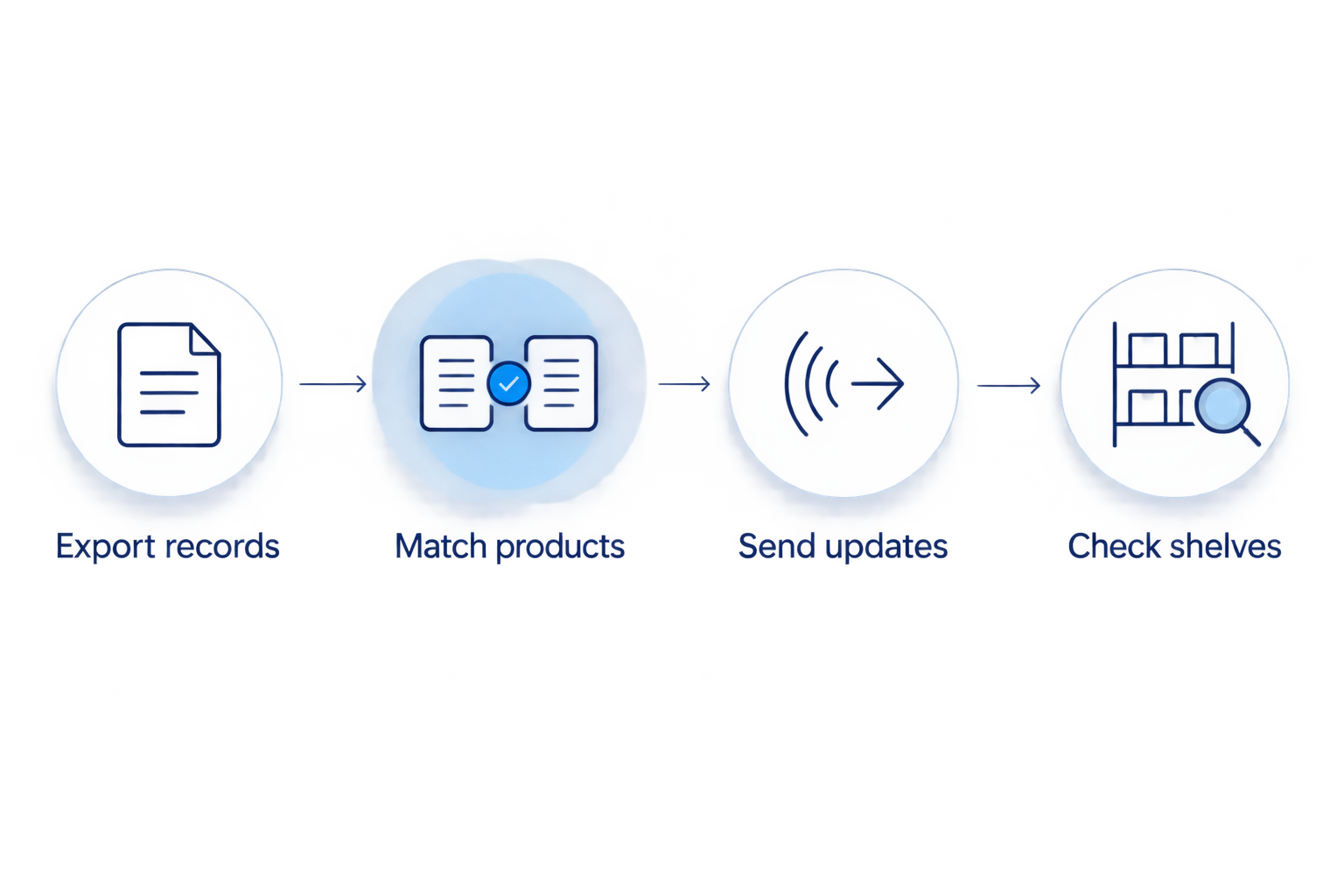
Use a clear test sequence: export records, match products, send updates and check shelves. Establish which system controls the approved price and which staff members can change it. Do not accept a successful data export as proof that every shelf ticket updates correctly.
Test the exception path as carefully as the normal update. Ask what staff see when a label does not receive an update, who investigates and how the ticket is corrected. A central update process still needs a practical way to identify incomplete changes.
Start by selecting locations that expose different requirements, rather than choosing only an easy ambient shelf. Include a chilled location only after the proposed equipment has suitable written specifications. Add a secondary display if your intended rollout includes those fixtures.
Keep a manual observation sheet during the trial. Check how the label reads from the normal shopping position, whether the mount interferes with replenishment and whether staff can identify the correct item without confusion.
Run the process through a product relocation and a promotional change. The aim is not merely to see a screen change; it is to prove that staff can maintain accurate ticket-to-product relationships during normal work. Record problems before deciding whether to expand.
Build a manual comparison sheet covering equipment, mounting, integration, installation, training and ongoing administration. Ask suppliers to identify inclusions and exclusions explicitly. Compare equivalent scope rather than a device-only proposal against a complete installation.
Cheap Shelving's electronic shelf labels support centralised shelf-price changes, but your assessment must also cover the work needed to maintain the system. Confirm responsibilities for software changes, failed devices, replacement mounting parts and staff access.
Keep paper ticketing in the comparison as a genuine alternative. A store with manageable manual changes needs a different justification from a store whose own records show repeated re-ticketing work. A staged approach also requires clear ownership of both electronic and paper processes.
Write a simple checking procedure that staff can follow without the person who managed the trial. Assign responsibility for product mapping, promotional changes, unresolved updates and physical ticket placement. Keep permissions consistent with those responsibilities.
Use your 2026 trial records to decide the next rollout area. Expand only after the agreed checks work consistently and outstanding faults have an owner. Do not copy an unresolved configuration across the rest of the shop.
Keep an exception log after installation. Separate incorrect source data, wrong product mapping, misplaced labels and incomplete updates so the corrective action addresses the actual problem. Electronic ticketing should make the process easier to manage, not make errors harder to trace.
The right option depends on your observed workload and confirmed technical fit. Cheap Shelving supplies both electronic shelf labels and manual ticketing products, so compare the operating methods rather than assuming electronic is automatically the better choice.
| Option | Best for | Main advantage | Key limitation |
|---|---|---|---|
| Paper tickets in flat adhesive data stripping | Stores with manageable manual changes | Keeps printed shelf information in a dedicated holder | Staff must replace and verify tickets manually; the listed product comes in packs of 50 |
| Electronic Shelf Labels (ESL) | Stores seeking centralised shelf-price changes | Changes shelf prices from one system | Requires verified integration, mounting suitability and an exception process |
| Staged electronic and paper ticketing | Stores testing selected areas before wider adoption | Limits the initial rollout to proven locations | Staff must maintain two clearly defined ticketing processes |
A staged approach is a rollout method, not a separate product. Define which locations use each method and how staff check them. Avoid leaving temporary paper tickets beside electronic labels when the two displays communicate conflicting information.
For manual ticketing, check the actual holder and label dimensions before ordering. For electronic ticketing, request the proposed display layout, mounting specification and connection requirements together. Neither approach removes the need to keep the ticket beside the correct stock.
A shared brand name does not make two sellable packs the same item. Check the product identifier, pack quantity and displayed description together. Require staff to verify the physical pack when assigning or moving a label.
A label that looks suitable beside a refrigerator is not a verified chilled-area device. Obtain the proposed model's written operating requirements and check the mounting method as well. Keep unsuitable equipment out of the trial location.
Updating a main shelf does not address a second product location. Include end displays, stacks and temporary fixtures in the location register. Specify how staff remove or reassign tickets when the display changes.
A device selection made without a mounting check leaves an important part of the installation unresolved. Test the intended bracket on the actual fixture, including replenishment access. Do not infer compatibility from a shelf photograph or base-shelf depth.
Automation changes the publishing method, not the responsibility for correct information. Retain checks for product assignment, promotional changes and unresolved updates. A fault report needs an owner and a correction process, not just a place in a log.
What's the best way to choose electronic shelf labels for a bottle shop?
Choose electronic shelf labels by verifying POS compatibility, product mapping, mounting fit and operating conditions. Trial representative locations before approving a wider installation.
Can electronic shelf labels connect to my existing bottle shop POS?
Compatibility depends on the proposed label system and your exact POS configuration. Ask both providers to demonstrate product mapping, price updates and failed-update reporting using representative records.
Can I use electronic shelf labels inside a cool room?
Use electronic shelf labels inside a cool room only when the proposed model's written operating requirements suit that location. Confirm the mounting method and environmental limits before installation.
Are electronic labels better than paper tickets for a small bottle shop?
Electronic labels suit a centralised update process, while paper tickets remain a practical option when manual changes are manageable. Compare both against your recorded ticketing workload and verification needs.
How do electronic labels distinguish bottles from cartons?
Electronic labels distinguish bottles from cartons through the product records and display information assigned to each ticket. Create separate mappings for different sellable packs and verify them against physical stock.
Do electronic shelf labels replace promotional signs?
Electronic shelf labels do not automatically replace every promotional sign. Define what the proposed screen displays and separately manage any additional signs used around the store.
What should I ask Cheap Shelving about electronic shelf labels?
Ask Cheap Shelving to confirm the proposed electronic shelf label configuration, integration requirements, mounting options and operating limits. Request written scope and a demonstration based on your bottle shop's requirements.
Count product locations before counting electronic labels. A product record identifies what you sell; a location register identifies every place customers need the right ticket. Build that register before your 2026 rollout, and use it again whenever you reset the shelves.
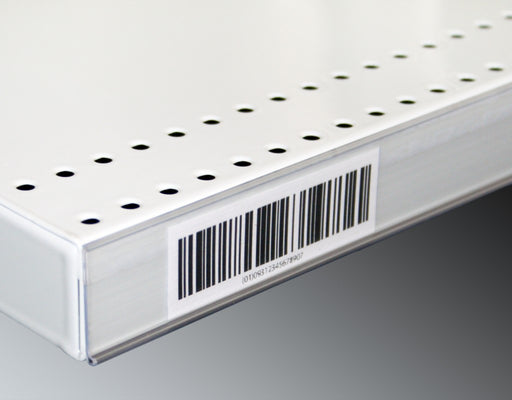
Upgrade your store's pricing and product labeling system with our Flat Adhesive Data Stripping. This cost-effective solution is designed to simplif...
View full details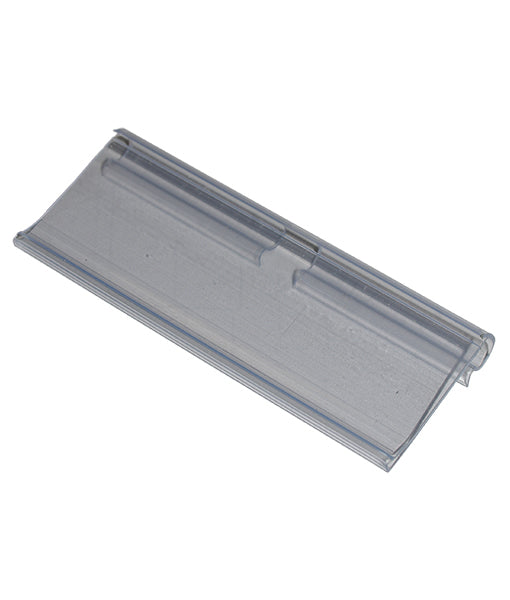
Enhance your store's product labeling and pricing system with our 100-Pack Flipper Tags. These versatile and easy-to-use tags are designed to strea...
View full detailsUpgrade your customers' shopping experience with our 28 litre Shopping Baskets featuring Metal Handles. These robust and stylish baskets are design...
View full detailsMake shopping a breeze for your customers with our 28 Litre Shopping Baskets featuring Plastic Handles. These lightweight and sturdy baskets are de...
View full detailsRevolutionize your customers' shopping experience with our Roller Shopping Baskets. These innovative baskets are designed for maximum convenience, ...
View full details{"one"=>"Select 2 or 3 items to compare", "other"=>"{{ count }} of 3 items selected"}