SERVING WA
Since 2009

Instead of manually replacing shelf tickets after every price change, connect electronic shelf labels to your approved pricing source so shelf displays follow authorised updates. This 2026 workflow covers product mapping, publication controls and checkout checks without confusing automatic updates with automatic price-setting.
Electronic shelf labels remove the physical ticket-replacement step from connected price updates. They do not, by themselves, decide what your products should sell for or prove that the checkout has received the same change.
Automate the publication of approved prices before automating pricing decisions. Otherwise, a mistaken product mapping or promotion rule becomes a shop-floor problem rather than an isolated administrative error.
For physical fixture planning, Cheap Shelving sells commercial shelving, retail displays and shop fittings to Perth and WA businesses. Treat shelf-edge mounting and software integration as separate checks: a suitable shelving layout does not establish electronic-label compatibility.
For your 2026 rollout, define success as agreement between the approved price, the displayed shelf information and the checkout result. A successful upload alone is not enough.
This is a vendor-neutral configuration guide. Use your provider's documented controls for each action; screen names and supported functions depend on the selected system. Do not translate the process into guessed software settings.
Choose the system that owns the approved selling price before configuring electronic shelf labels. For a 2026 deployment, record that decision alongside the integration owner so staff know where to correct an error.
Expected result: Every displayed value has a named source, an accountable approver and a defined correction path. Staff cannot change a shelf price without knowing which underlying record needs updating.
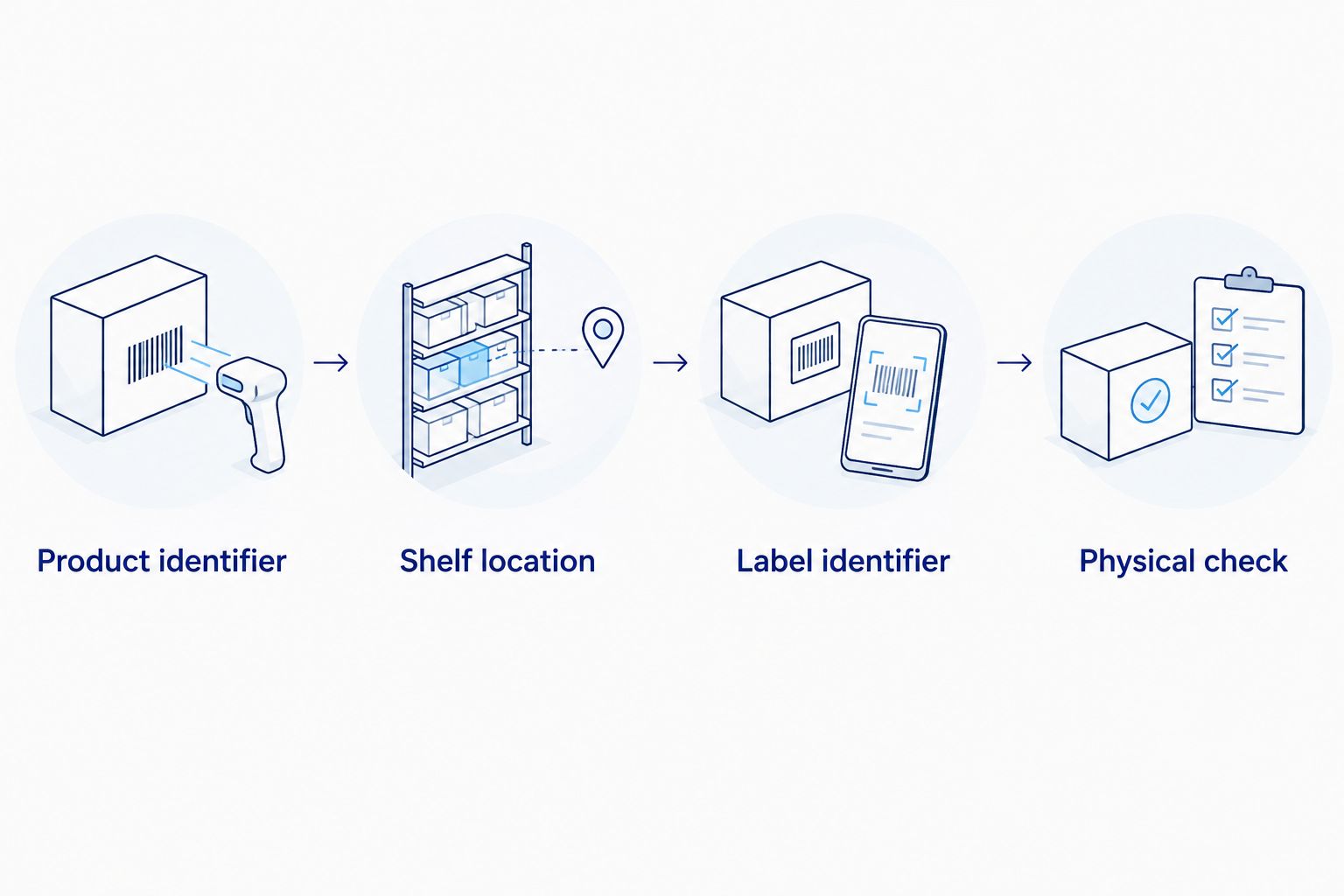
A correct price on the wrong shelf is still an incorrect customer message. Build the relationship between the product, its physical position and its electronic label before enabling routine publication.
Expected result: Each trial label points to the intended product and location. Moving a product or label triggers a reassociation task, not an assumption that the mapping will correct itself.
Electronic shelf labels need an exception process as much as a publication process. Decide how staff will identify an unsuccessful update before your 2026 workflow becomes part of daily trading.
Expected result: Approved changes enter a controlled publication process. Unsuccessful or unconfirmed updates produce an actionable exception instead of disappearing into a background task.
Test the whole transaction, not just the label screen. A shelf display can look correct while the point-of-sale record still differs.
Expected result: The trial proves product identity, shelf information, checkout agreement and recovery. Keep the evidence with your 2026 operating procedure so a later configuration change can be checked against it.
A second useful workflow handles scheduled promotions and their expiry. Use this variant only when your pricing source and integration support the required effective dates and publication controls.
Expected result: A promotion has a controlled beginning and end, with exceptions visible. Scheduling publication does not remove the need to approve the promotion itself.
Choose the least complex method that meets your operating needs. These are workflow choices, not claims that every electronic shelf label platform supports every method.
| Workflow | Best for | Advantage | Limitation |
|---|---|---|---|
| Approved change event | Stores publishing individual authorised changes | Connects publication to an approved source change | Requires supported integration and clear failure handling |
| Scheduled synchronisation | Stores grouping updates into planned batches | Gives staff a defined checking window | Changes wait until the scheduled run |
| Authorised file import | Controlled trials or systems with supported imports | Makes the submitted batch available for review | File preparation and version control remain manual tasks |
Best starting point: the supported workflow your staff can verify and recover. An event-driven connection is not automatically the right choice if nobody can investigate its exceptions.
Compare both destinations with the approved source record, including effective dates and promotional conditions. Identify which destination is stale before publishing another change. Follow your store's pricing-discrepancy procedure while correcting the affected record and checking the physical display.
Inspect the product-to-label association rather than editing the displayed description to hide the mismatch. Check the barcode, pack size, shelf location and label identifier. Reassociate the label using the provider's documented process, then repeat the checkout check.
Review the platform's reported delivery or confirmation state, then check the equipment using the manufacturer's diagnostics. An accepted submission is not proof of a completed display update. Escalate unresolved communication or device faults to the integration provider and use the approved temporary ticketing process.
Check effective timestamps, time zones and any daylight-saving conversion across the connected systems. Confirm the store assignment and expiry value as well. Correct the authoritative record and verify both the shelf and checkout after republication.
Stop the installation and recheck the shelf profile, mounting hardware and label position. Do not modify a holder or assume a paper-ticket strip is an electronic-label rail. Ask the equipment provider to confirm the mounting arrangement before extending it across the store.
Once the trial works, expand by operational need rather than fitting every shelf at once. Start with an area where staff can explain the update process, identify exceptions and keep product locations current.
For fixture selection, Cheap Shelving's role is physical retail equipment; electronic shelf label integration needs separate verification. That distinction helps you ask the right supplier the right question. Confirm mounts and software support with the label provider, then assess stock visibility, shelf access and floor space alongside your shelving plan.
Use the data stripping and shelf label holders guide when reviewing shelf-edge ticketing arrangements. Do not treat a holder recommendation as confirmation that it accepts your chosen electronic label.
Before extending the 2026 rollout, give staff a short operating record covering:
Do electronic shelf labels set prices automatically?
Electronic shelf labels display information supplied through their connected system; they do not inherently decide selling prices. Automatic price-setting requires a separate pricing process with approval rules and controls.
Can I connect electronic shelf labels to my existing point-of-sale system?
Connection depends on documented support between your point-of-sale system, pricing source and label platform. Ask the integration provider to confirm the supported method, data requirements and failure reporting before selecting equipment.
What should I test before rolling out electronic shelf labels?
Test product-to-label mapping, approved price publication, checkout agreement and correction handling. Include promotion expiry and products displayed in multiple locations if those workflows apply to your store.
Will electronic shelf labels fit my existing shelf ticket strips?
Do not assume existing ticket strips accept electronic shelf labels. Confirm the shelf profile, label mounting requirements and approved hardware with the selected equipment provider.
What happens when an electronic shelf label does not update?
Treat an unconfirmed update as an exception that needs investigation and a physical check. Follow the provider's diagnostics and your approved temporary ticketing procedure until the shelf and checkout agree.
Does Cheap Shelving supply the pricing integration described here?
Cheap Shelving supplies commercial shelving, retail displays, trolleys and shop fittings. Arrange confirmation of electronic label equipment, software connections and integration support separately with the relevant provider.
Should I use scheduled updates or change-triggered updates?
Use the supported method your staff can check and recover reliably. Scheduled updates suit planned batches, while approved change-triggered updates suit individual authorised changes when the integration supports them.
Test a product move before approving the rollout. Place a trial product in a secondary display, associate its label correctly and confirm every intended display follows the next approved update. This checks a relationship that a successful price transmission alone cannot prove.
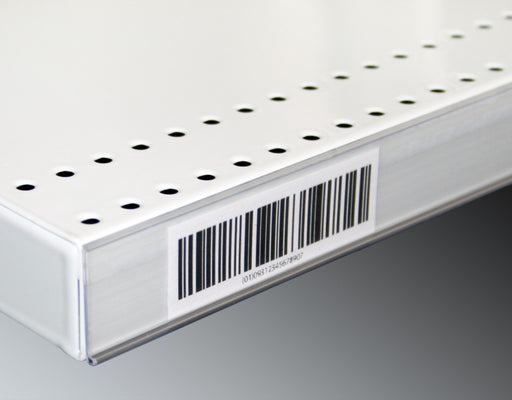
Upgrade your store's pricing and product labeling system with our Flat Adhesive Data Stripping. This cost-effective solution is designed to simplif...
View full details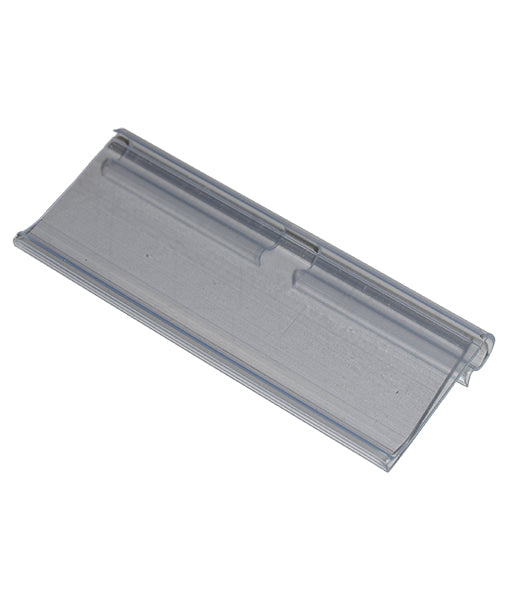
Enhance your store's product labeling and pricing system with our 100-Pack Flipper Tags. These versatile and easy-to-use tags are designed to strea...
View full detailsUpgrade your customers' shopping experience with our 28 litre Shopping Baskets featuring Metal Handles. These robust and stylish baskets are design...
View full detailsRevolutionize your customers' shopping experience with our Roller Shopping Baskets. These innovative baskets are designed for maximum convenience, ...
View full detailsMake shopping a breeze for your customers with our 28 Litre Shopping Baskets featuring Plastic Handles. These lightweight and sturdy baskets are de...
View full details{"one"=>"Select 2 or 3 items to compare", "other"=>"{{ count }} of 3 items selected"}