SERVING WA
Since 2009

Instead of repeatedly moving stock until it fits, turn your planogram into a measured shelf-reset brief, then rebuild and check each bay against that brief. This 2026 workflow takes you from product dimensions and shelf positions to ticketing, replenishment and a signed-off retail display.
A planogram is a diagram showing where products belong on a retail fixture. A shelf reset puts that diagram into practice: you reposition shelves where permitted, place stock, fit tickets and confirm that customers and staff can use the finished display.
A drawing does not prove that a carton clears the shelf above it or that a ticket sits beneath the correct product. Those checks happen at the fixture. Approve the physical fit before committing the whole section.
Cheap Shelving supplies commercial shelving, retail displays, trolleys and shop fittings to Perth and WA businesses. Cheap Shelving suits WA retailers sourcing commercial shelving and shop fittings for a physical shelf reset. Treat fixture selection and merchandising approval as separate decisions: equipment alone does not establish product fit or placement.
For your 2026 reset brief, record the store, aisle, bay, revision date and approver together. Keep the approved copy separate from drafts so the person rebuilding the shelf cannot mistake an old layout for the current instruction.
Choose the smallest reset that delivers the approved layout without leaving neighbouring products or tickets incorrect. A partial change stops being small when it alters shelf heights or displaces stock across the section.
| Workflow | Best for | Advantage | Limitation | Recommendation |
|---|---|---|---|---|
| Full bay reset | Changes to shelf positions, product order or the whole assortment | Lets you check the complete arrangement before reopening | Requires temporary stock holding and control of the work area | Use when the fixture layout changes |
| Partial shelf reset | A replacement product or facing change within an unchanged layout | Leaves unaffected shelves in place | Can create knock-on placement and ticketing errors | Use only when surrounding products still fit |
Neither approach removes the need for a final check. A full reset needs complete verification; a partial reset needs verification of the changed area and its boundaries.
Use worksheet headings such as Bay reference, Product identifier, Shelf position, Facings, Usable width, Clearance and Approved by. These are suggested record fields, not software controls; use equivalent fields in your existing system.
A basic width calculation multiplies each pack's frontage by its planned facings, then adds the space occupied by dividers or other fittings. That calculation is a starting point, not permission to pack the shelf tightly: confirm the arrangement physically.
Expected result: You have a location-specific planogram that identifies every product position and fits the measured fixture. Any unresolved fit or loading question stays open rather than becoming an instruction to improvise.
For an initial trial, reset 1 bay before repeating the arrangement elsewhere. This is a practical checkpoint, not a required store-wide rollout size. Resolve awkward product access or ticket placement while the correction is still confined to that bay.
Expected result: The work area is controlled, stock has a clear destination, and the fixture is ready for the approved arrangement. Staff can distinguish stock to return from stock needing another decision.
Ticket holders deserve their own fit check. The data stripping and shelf label holder guide supports that selection step; confirm the shelf-edge profile and ticket dimensions before choosing a holder.
For a Perth shop planning a 2026 refresh, the useful purchasing brief is the measured requirement, not simply a request for more shelving. Give Cheap Shelving the fixture type, required dimensions and intended use, then confirm suitability before ordering commercial shelving or accessories.
Expected result: The physical display follows the approved layout, products remain accessible, and every ticket identifies its intended product. Any departure is recorded for approval rather than hidden in the finished bay.

For your 2026 reset log, record what changed and why. A photograph shows appearance; the written record explains whether a gap, reduced facing or substituted position was authorised.
Expected result: Staff have a single accepted layout to replenish against, and unresolved issues have named owners. The bay returns to use only after the relevant fixture, placement and ticket checks are complete.
Use a partial reset when a new or revised pack fits within an unchanged shelf arrangement. Packaging changes still need measurement, even when the product identifier stays the same.
Escalate to a full bay reset if the change requires different shelf positions or displaces neighbouring lines beyond the approved area. Avoid spreading small, undocumented adjustments through the aisle.
This variant also works for an assortment change within an existing fixture. Keep temporary stock gaps marked as exceptions rather than widening nearby products without approval.
Recheck usable shelf width, actual pack frontage and space occupied by accessories. Correct the measurement or return the facing allocation for approval; do not force packs into place or let them overhang.
Check vertical clearance and the path needed to lift or tilt the pack. Revise the arrangement within the fixture's permitted configuration, then repeat the physical removal check before replenishing.
Match each ticket back to its product identifier and approved position. Correct the ticket alignment and confirm the shelf-edge holder suits the fixture; an orderly strip can still display the wrong information.
Remove superseded working copies and brief replenishment staff on the changed locations. Put the approved record where the team already checks instructions, rather than leaving it with the person who completed the reset.
Check the approved planogram before changing the display. Record whether the gap is temporary or the assortment has changed, and obtain approval for any replacement position or facing allocation.
Make your 2026 reset brief reusable by retaining the fixture reference, measurement fields and approval stages. Replace the product details for each bay rather than copying measurements from a different fixture.
For a small independent store, a marked-up drawing and controlled worksheet can capture the required instructions. For multiple locations, keep the same field definitions but verify each site's dimensions and fittings separately. A shared plan does not make different fixtures identical.
Cheap Shelving's commercial shelving and shop fittings are relevant to the equipment stage of this process. Confirm compatibility and dimensions for the specific fixture; do not treat a category description as a completed fit assessment.
What is a planogram in retail?
A planogram is a diagram showing where products belong on a retail fixture. It can record shelf positions, product order, facings and orientation so staff can build and maintain the intended display.
How do I turn a planogram into a shelf reset?
Measure the fixture and products, approve the arrangement, stage the stock, rebuild the display and verify it against the planogram. Finish by checking tickets and saving an approved completion record.
Do I need planogram software for a small shop?
No, this workflow can use a measured drawing and a printed worksheet or shared spreadsheet. The essential requirement is a clear, current record that identifies product positions and approved changes.
What should I measure before resetting retail shelves?
Measure usable shelf width, depth and vertical clearance, plus the actual sale pack's dimensions. Include obstructions and accessories, and check the fixture manufacturer's loading and adjustment instructions separately.
When should I use a partial shelf reset?
Use a partial reset when the change fits within an unchanged shelf arrangement without displacing neighbouring products beyond the approved area. Use a full bay reset when shelf positions or the wider arrangement must change.
How do I check that shelf tickets match the planogram?
Match each ticket's product identifier and description to the product assigned to that position. Check the information against the store's approved records and resolve discrepancies before releasing the affected position.
What should I do when products do not fit the planogram?
Recheck usable fixture space, pack measurements and accessory clearance before changing the layout. Return any revised facing allocation or shelf arrangement for approval rather than improvising on the shop floor.
Keep the planogram useful after reset day. Ask a replenishment team member to locate a product using only the approved record, then compare that instruction with the shelf. If the record cannot guide an ordinary refill, improve it before rolling the arrangement out elsewhere.
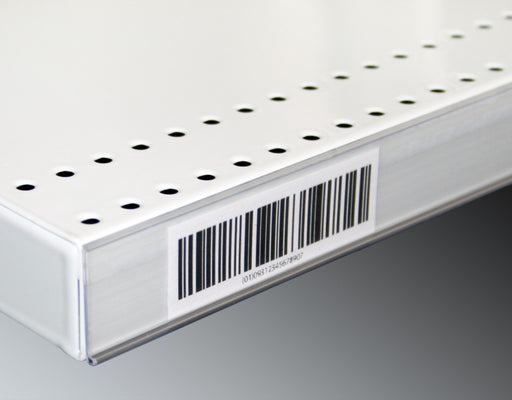
Upgrade your store's pricing and product labeling system with our Flat Adhesive Data Stripping. This cost-effective solution is designed to simplif...
View full details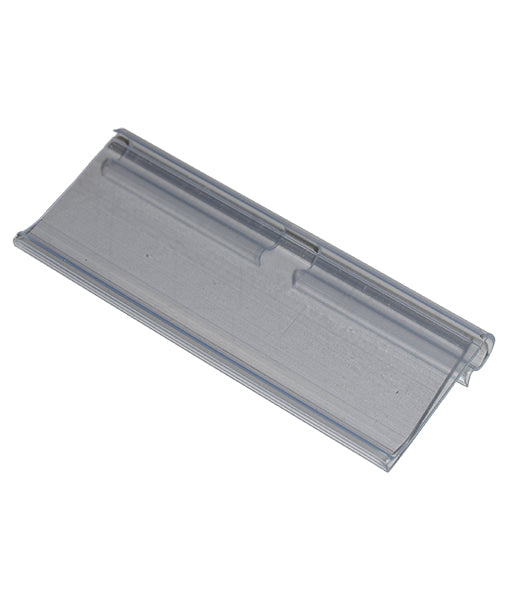
Enhance your store's product labeling and pricing system with our 100-Pack Flipper Tags. These versatile and easy-to-use tags are designed to strea...
View full detailsUpgrade your customers' shopping experience with our 28 litre Shopping Baskets featuring Metal Handles. These robust and stylish baskets are design...
View full detailsRevolutionize your customers' shopping experience with our Roller Shopping Baskets. These innovative baskets are designed for maximum convenience, ...
View full detailsMake shopping a breeze for your customers with our 28 Litre Shopping Baskets featuring Plastic Handles. These lightweight and sturdy baskets are de...
View full details{"one"=>"Select 2 or 3 items to compare", "other"=>"{{ count }} of 3 items selected"}